

This chapter documents how to use the CE modifier to speed up Baidu Cloud, for learning and reference only.
Use an older version of Baidu Cloud and prevent it from updating.
Based on the Baidu Cloud files, it seems there's no backend throttling—only local throttling. But this method might stop working in the future, so use it while it works!
Download links:
Baidu Cloud 7.23.0.10 extraction code RPWN
Normal download


Start CE acceleration
Keep the download running, then open CE 7.5.
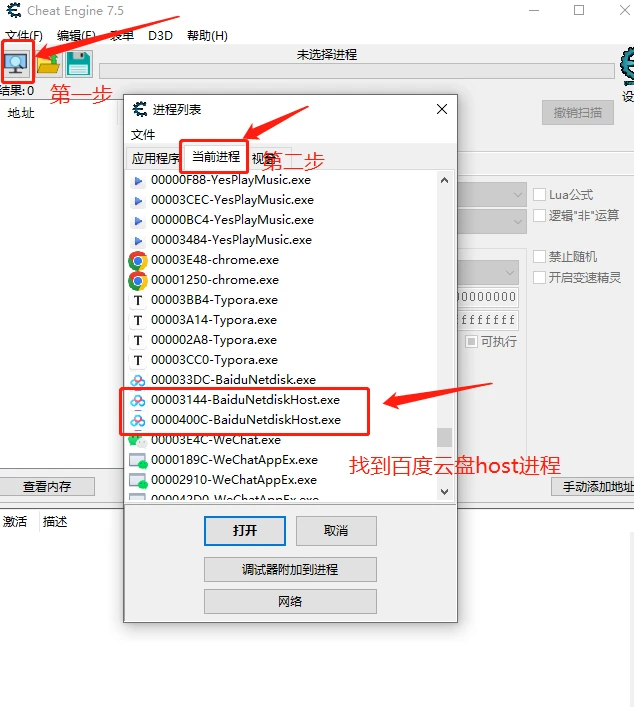
Choose a host (since there are two, one of them is invalid—probably used to connect to the backend), click Speedhack to enable it, select the multiplier as needed. I dragged it all the way to five hundred times, then clicked Apply.
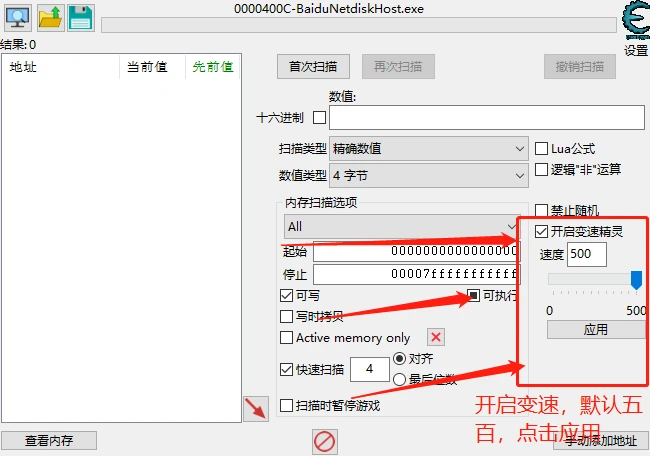
You can see there's no effect, which means you picked the wrong one.
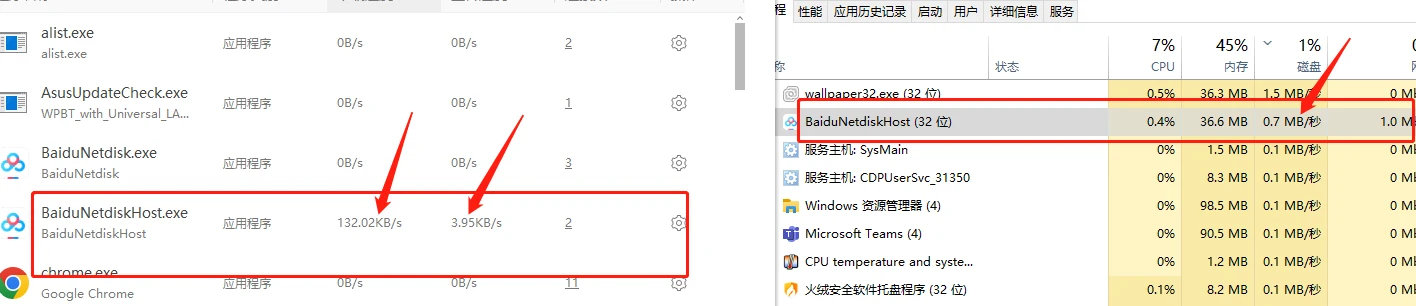
Switch to another host and check the download speed:
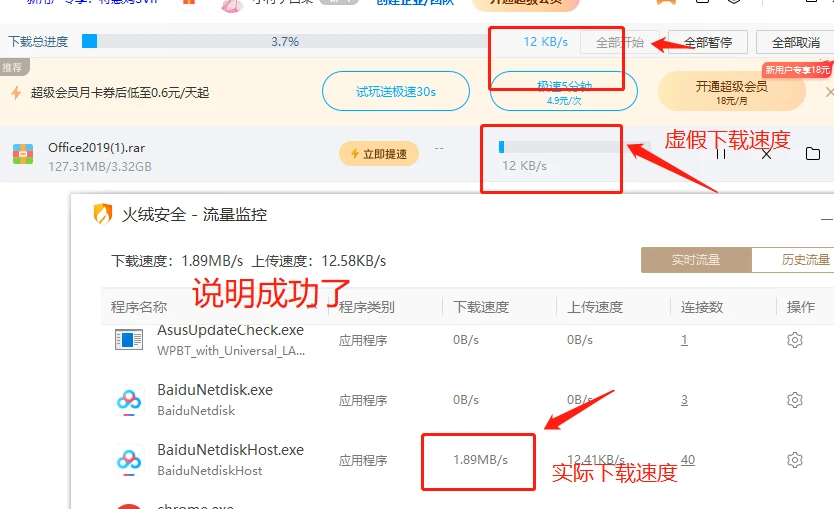
Sometimes a multiplier that's too large does more harm than good; choose according to your needs.
After testing, it can reach full speed, but I was connected to a hotspot, so the speed maxed out around here.

Prevent updates
Since Baidu Cloud updated, this bug has been fixed. So if we still want to use this method, we need to prevent updates.
After installing Baidu Cloud 7.23.0.10, open the installation root directory.
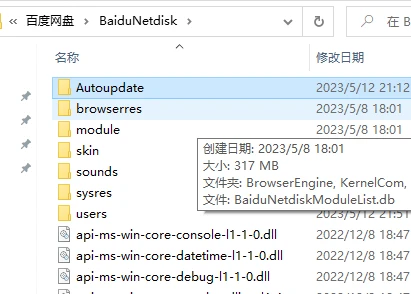
You can see at a glance the auto-update file: Autoupdate
You can delete the files inside it, or delete the entire folder.
If you find the folder gets downloaded back by itself, delete it, then create a new folder named: aotoupdate, and change its permissions so it's not editable, preventing Baidu Cloud from updating it back.
Additional notes
If you have a 10 Mbps connection but can't reach it with this CE modifier, reinstall Baidu Cloud 7.23.0.10 and use the CE modifier again to restore full speed. As far as I can tell, this works.
If you enjoyed this, leave a comment~